This is a TUI (Terminal User Interface) application written in C that shows how birthday paradox works, prove how birthday attack can finds collision in less than half of the hash space count.
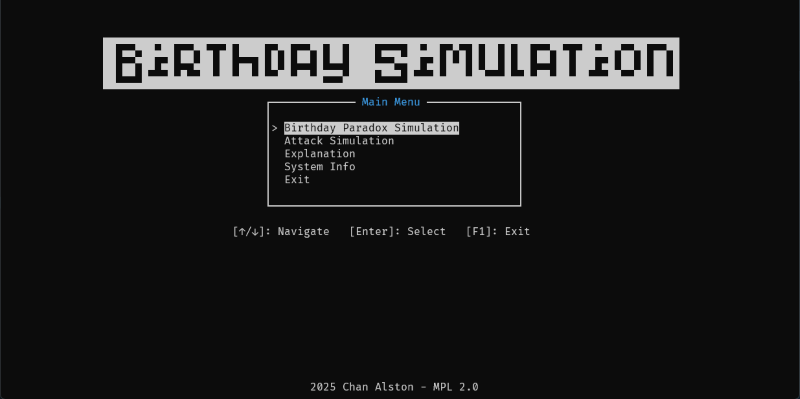
Getting Started
To run, build or develop the application, you should start from here.
Get the executables
You can download the executable from GitHub release.
Library Used
- OpenSSL - For generating cryptographically random bytes for hashing, which also provides the hash function the program needed like
sha256,sha512, etc.. - ncurses - The core library to build UI in this CLI application
- GLib - To use their thread pool implementation for calculating hashes concurrently without block the main/UI thread
Prerequisites
- If you are on Windows, you need to install MSYS2. That should also install UCRT64 for you.
- Install all library listed in the Library Used section. In windows, you should use the
UCRT64terminal and pacman to search and install the library. - Install
CMakeandmake
Build
Clone the repository into your local machine
git clone https://github.com/AlstonChan/birthday-simulation.git- Install the dependencies package
For linux:
sudo apt update && sudo apt install build-essential libncurses5-dev libncursesw5-dev libsysprof-capture-4-dev libssl-dev libglib2.0-dev libc6-dev libzstd-dev libtinfo-dev gdb valgrind clang-formatFor Windows:
Open your MSYS2-UCRT64 command line:
Update and upgrade all the packages, you MAY need to run this command multiple times until you see the message
there is nothing to do.bash pacman -SyuInstall the toolchain:
bash pacman -S --needed base-devel mingw-w64-ucrt-x86_64-toolchainthen install the packages:
bash pacman -S mingw-w64-ucrt-x86_64-glib2 mingw-w64-ucrt-x86_64-ncurses mingw-w64-ucrt-x86_64-openssl
Generate the
makefile withCMake, for your platform:On Windows, using MinGW
cmake -S . -B build -G "MinGW Makefiles"On Linux/Unix, using the standard unix makefile
cmake -S . -B build -G "Unix Makefiles"Run
maketo build the applicationmake -C build
Documentations
To build and view the documentations locally, install doxygen
sudo apt update && sudo apt install doxygenor install it from the doxygen website if you have a GUI
Generate the documentation site to
docsdoxygen DoxyfileView the site
open ./docs/html/index.html